

Free Fire Level Up Pass
Here you can top up Free Fire Level Up Pass for BD server game UID through bKash, Nagad, Rocket & Upay within 5 minutes. From AmarGame.shop website
2k (4.9+) Reviews all over the website
10+ Orders Completed
Free Fire Level Up Pass BD – Instant & Secure Top Up
Buy Free Fire Level Up Pass in Bangladesh at the lowest price with instant delivery. If you want to unlock premium rewards, diamonds, and exclusive items at a cheaper cost, Level Up Pass is the best option for you.
We provide fast, safe, and reliable Free Fire top-up service in BD.
How to Buy Level Up Pass With Bkash?
If you’re looking to purchase the Free Fire Level Up Pass using bKash, AmarGame is the perfect place to do so.
- Select the “Free Fire Level Up Pass” option on this page.
- Enter your Free Fire Player ID in the designated field.
- Click on the “GO PAYMENT” button.
- On the checkout page, select the bKash payment option.
- Complete the payment through bKash and place your order.
- Your Level Up Pass will be delivered to your email or game account within 2-30 minutes of completing the payment.
How do I use the “Level up Pass Free Fire”?
You must follow these steps to use the Free Fire Level Up Pass in the game:
- Open the game and click on the member’s icon at the top of the main screen.
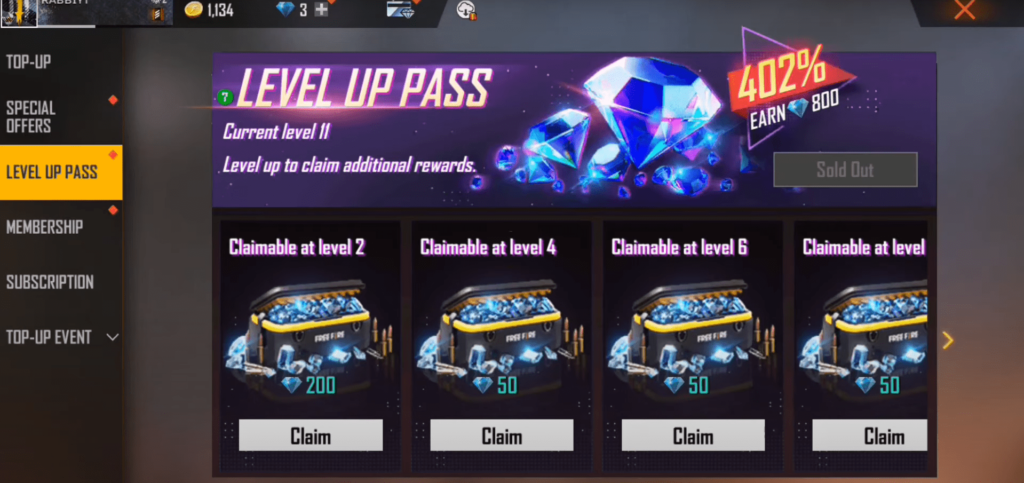
- Click on the ‘FF Level Up Pass BD’ tab.
- Now activate the pas by pressing the purchase button.
- You can claim the reward diamonds as you level up in the game.
- Remember that the players can use the pass only once. And the rewards are only available for a limited time. You can check the remaining rewards and expiration date by accessing the game’s ‘level up pass’ tab.
While using the pass,
How to Claim Free Fire Level Up Pass Diamonds?
To claim the diamonds after buying Free Fire Level Up Pass, players can follow the steps below:
- Open the game and click on the membership icon located at the top of the main screen.
- Click on the ‘Level Up Pass’ tab.
- Scroll down to view the rewards available at each level.
- When you reach a level that unlocks a reward, the reward will become available for you to claim.
- Click on the ‘Claim’ button to redeem the reward.
How to Find Free Fire Player UID to Order FF Level Up Pass?
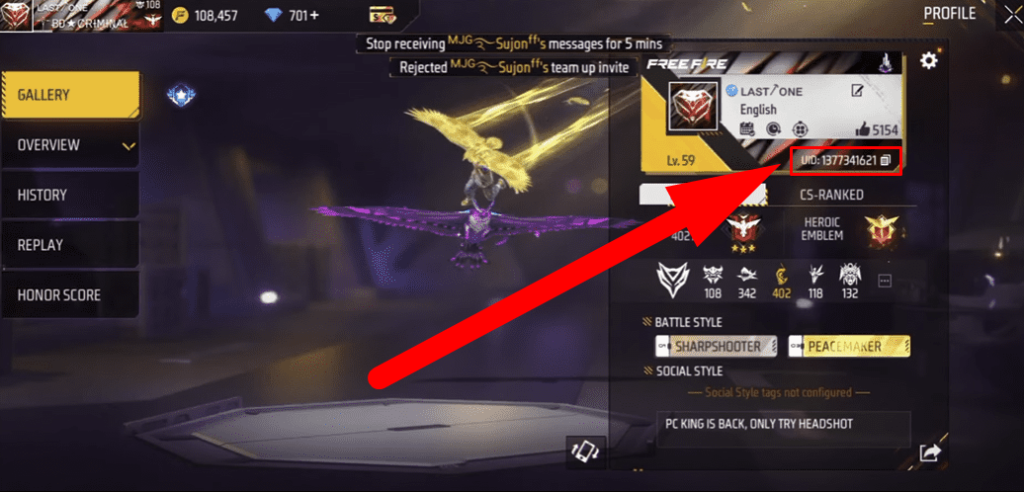
Follow these steps to FF level up pass BD:
- Open the game.
- Tap on your profile at the top left corner of the main menu.
- You should find your Free Fire Player ID under your username.